INSTALLATION GUIDE
Uninstall GoPaperless Agent
Step 1: Close the GoPaperless Agent application (if it is currently running).
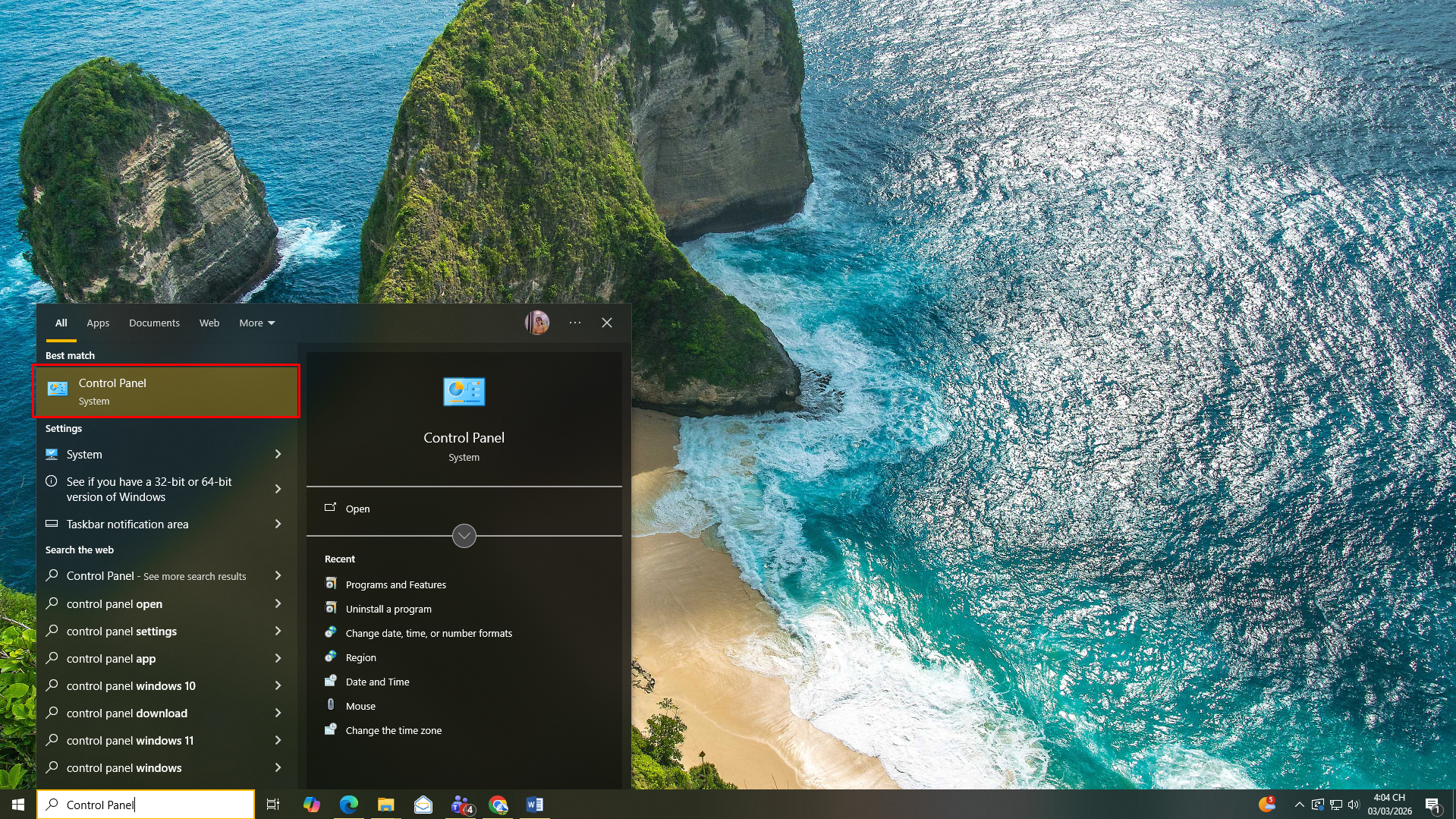
Step 2: Click Start → open Control Panel.
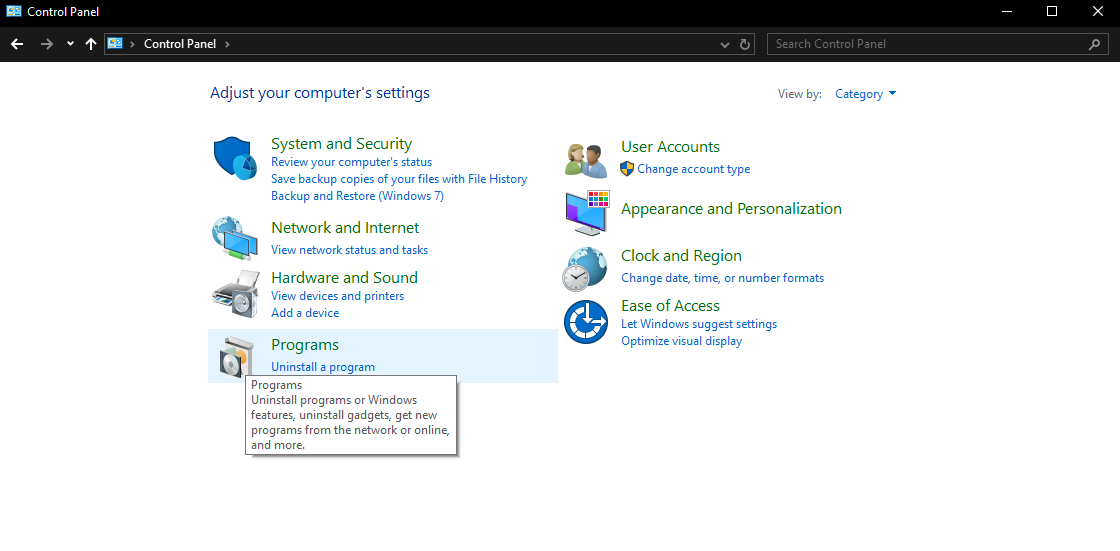
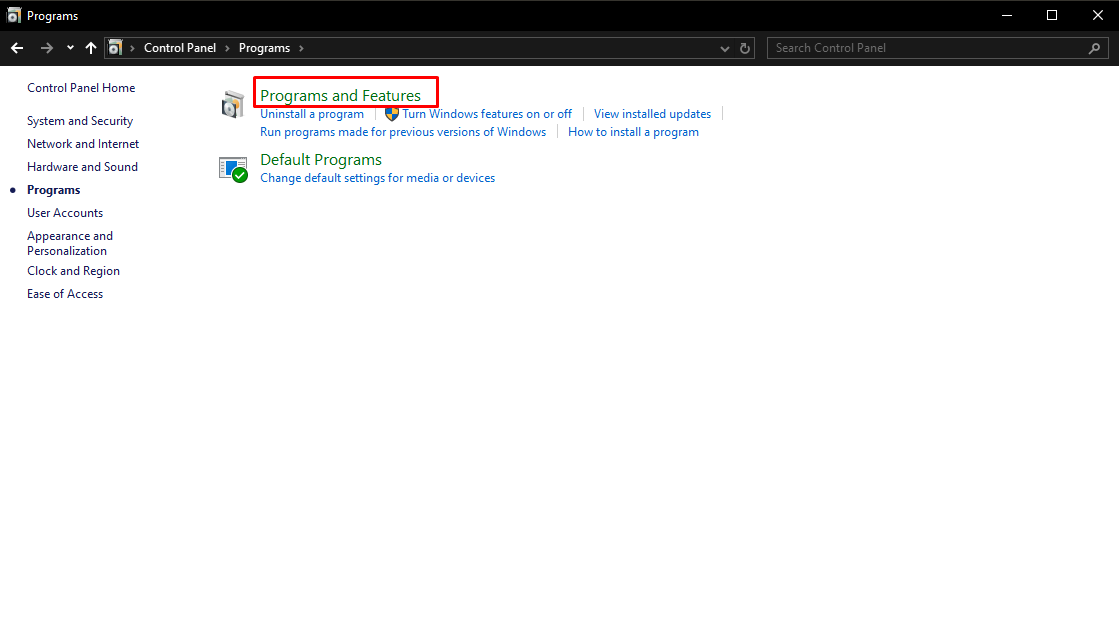
Step 3: Select Programs → Programs and Features.
Step 4: In the list of installed programs, select GoPaperless Agent.
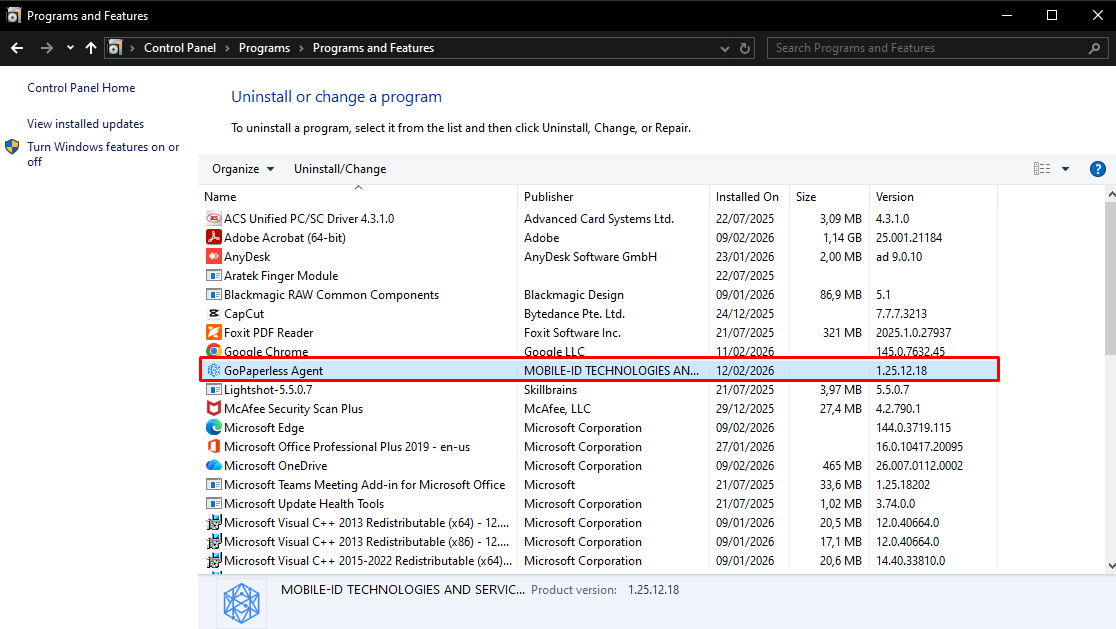
Step 5: Right-click and choose Uninstall/Change.
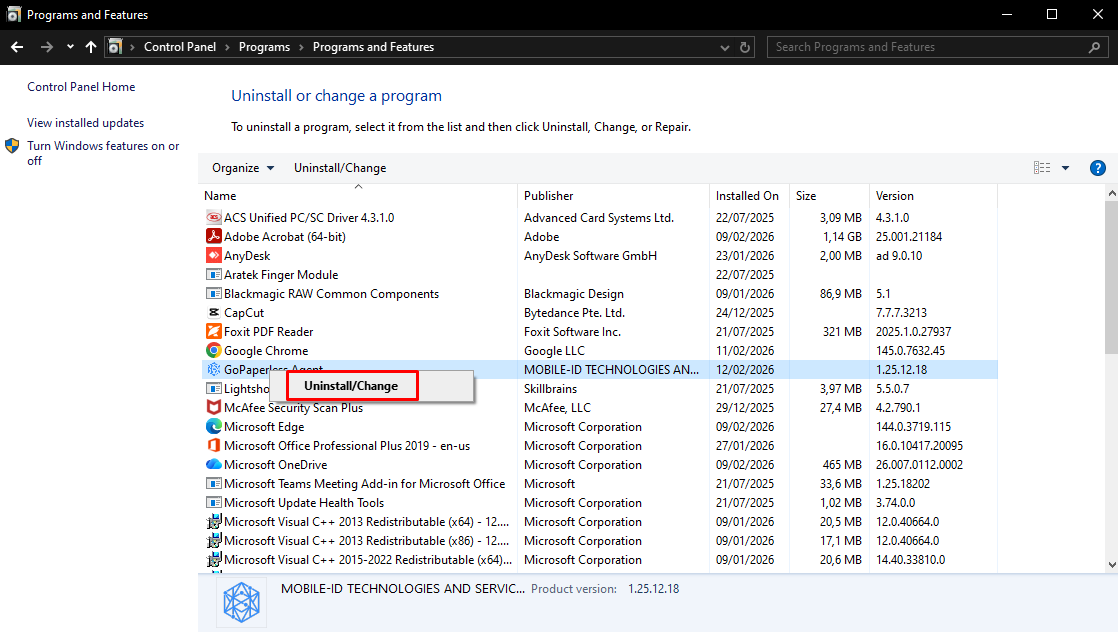
Step 6: When the system displays a confirmation message, select Yes to proceed with the uninstallation.
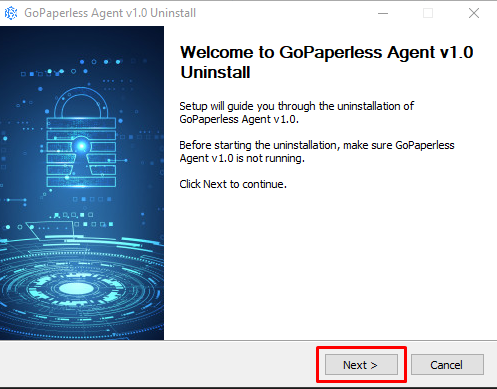
Step 7: On the Welcome – GoPaperless Agent Setup (Uninstall) screen, click Next to continue.
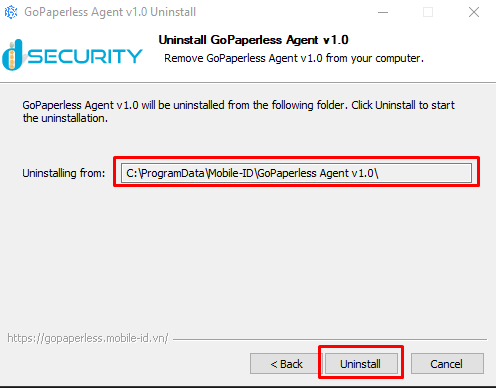
Step 8: On the Installation Folder screen, click Uninstall to start the uninstallation process.
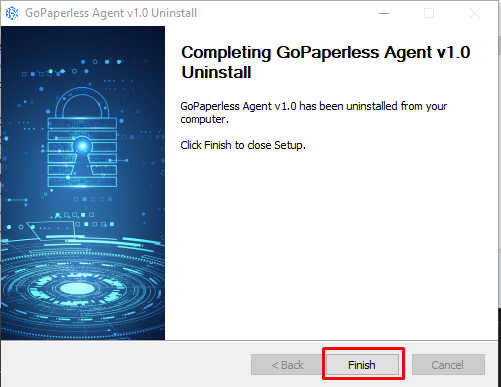
Step 9: Wait for the system to complete the uninstallation process.
Step 10: Once the process is complete, click Finish (if available) to exit.