


INSTALLATION GUIDE
Trust Certificate Authorities on macOS
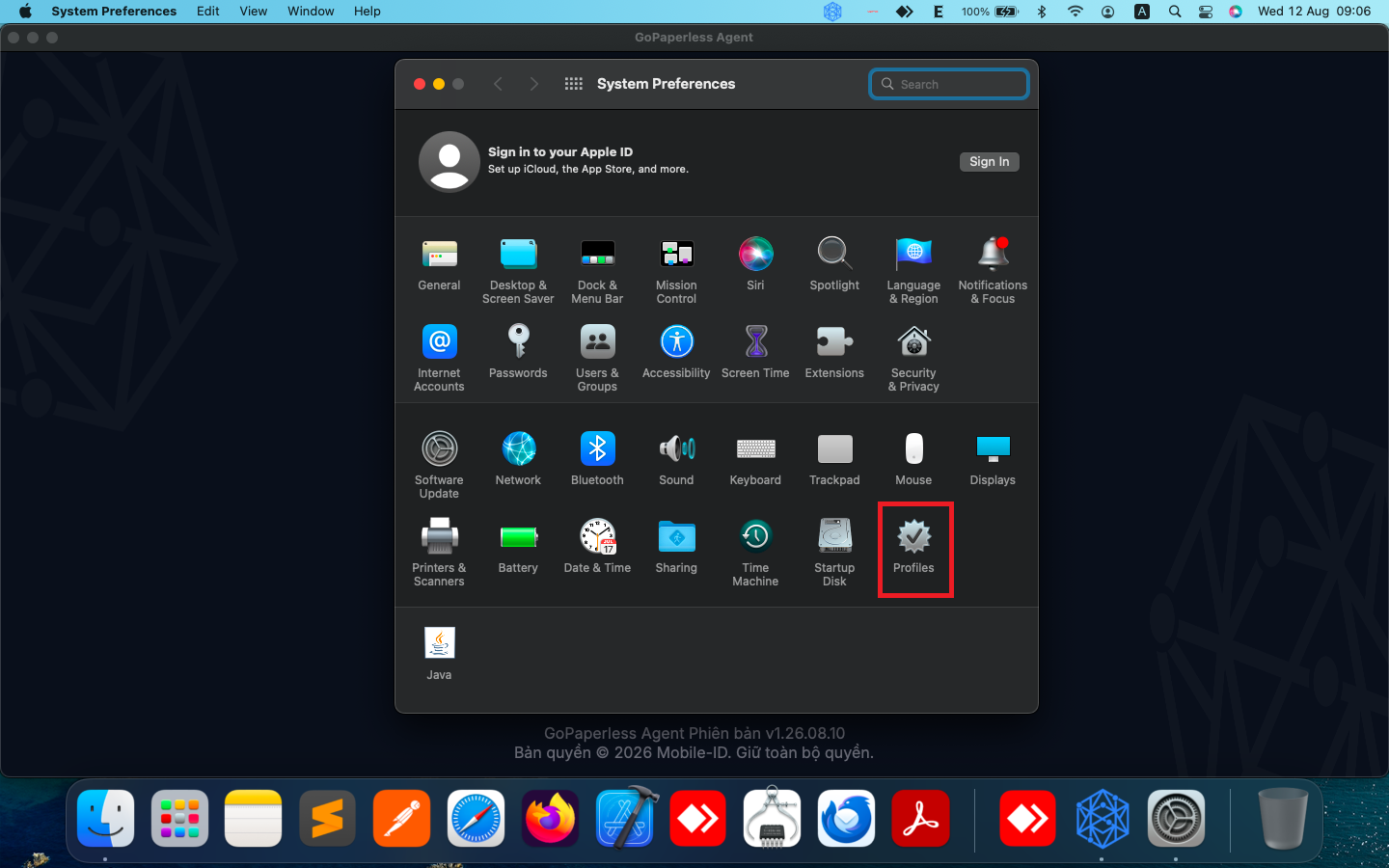
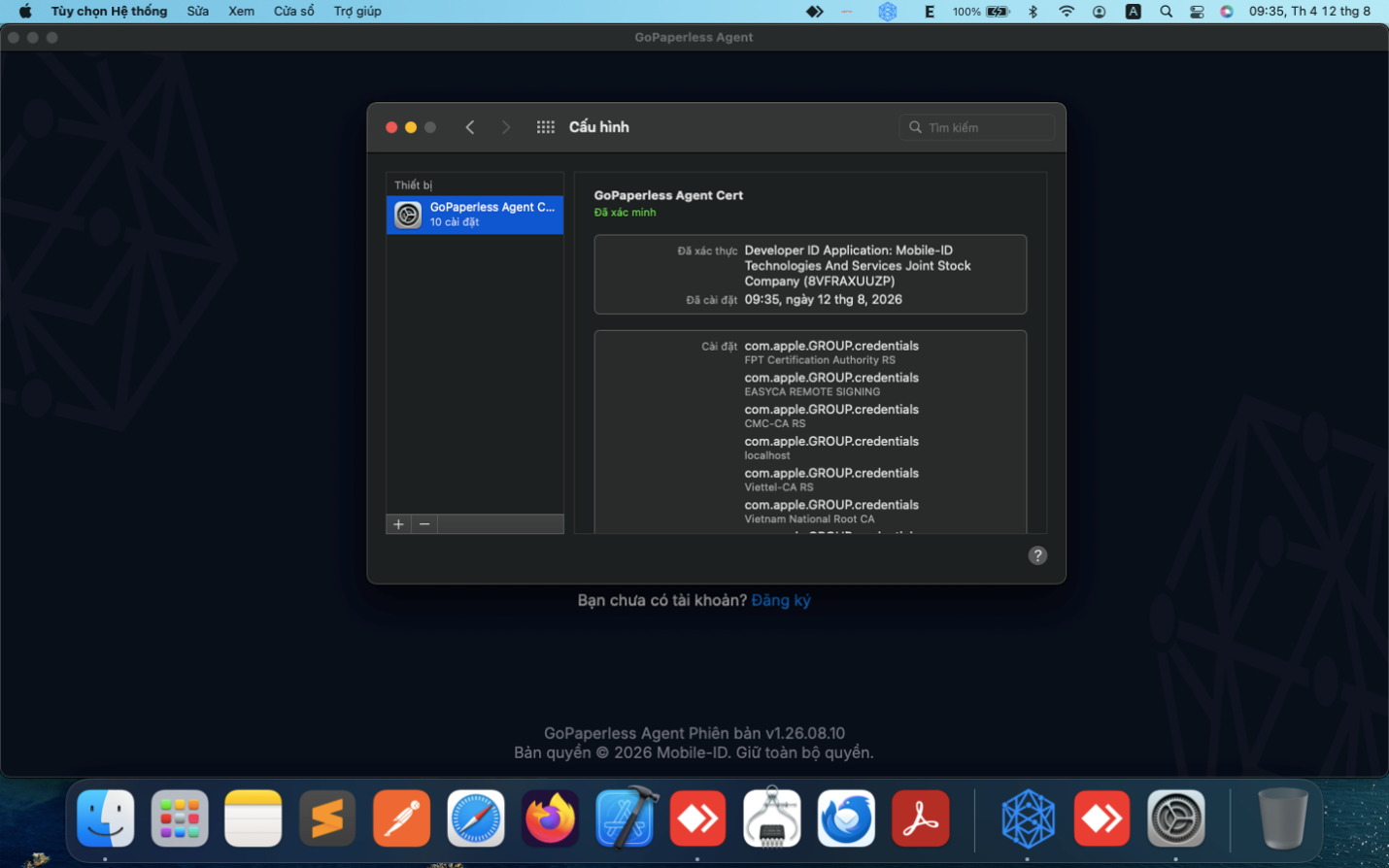
Step 1: Open System Preferencese and then click on the Profiles button.
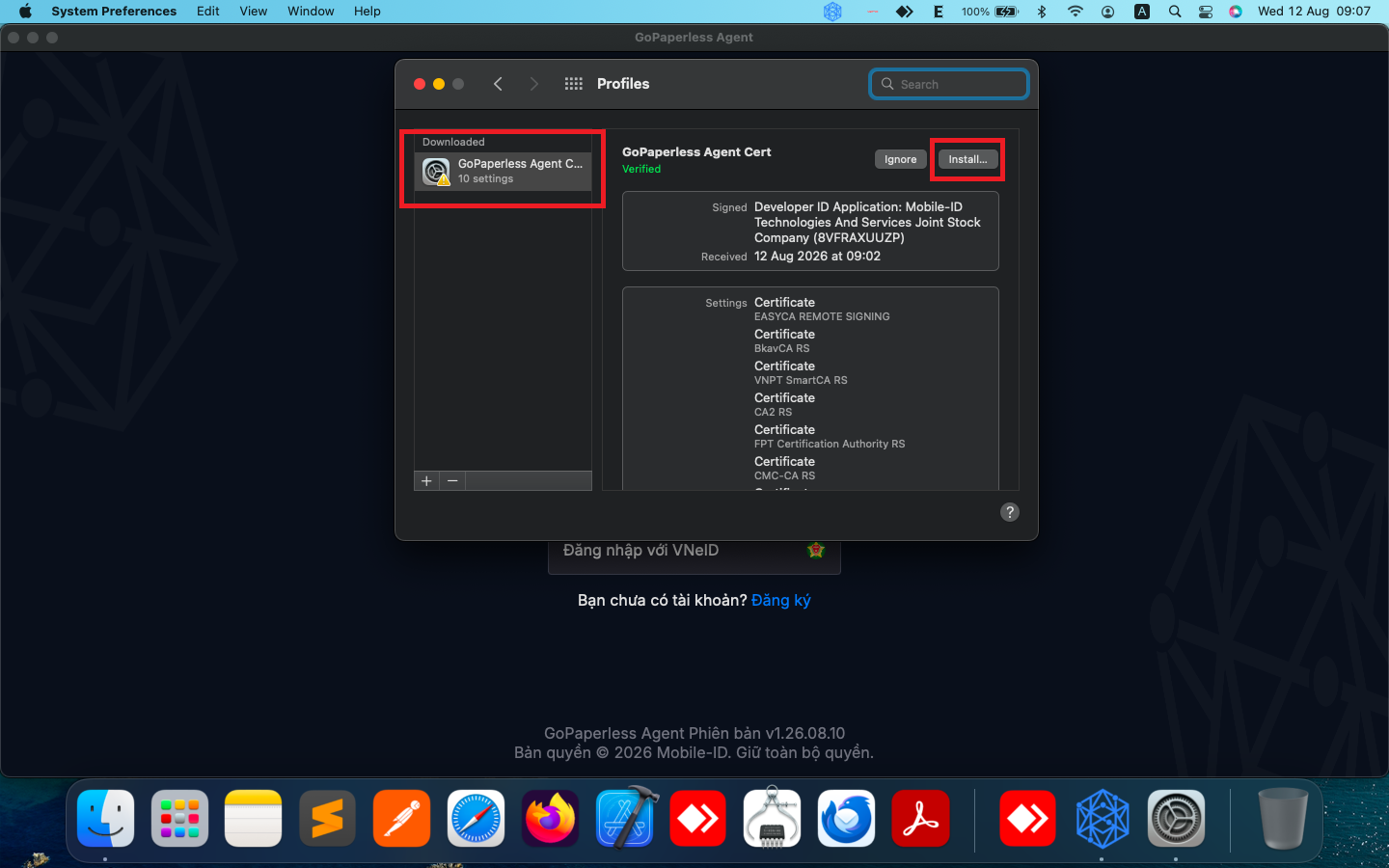
Step 2: Choose GoPaperless Agent Cert profile and then click Install button.
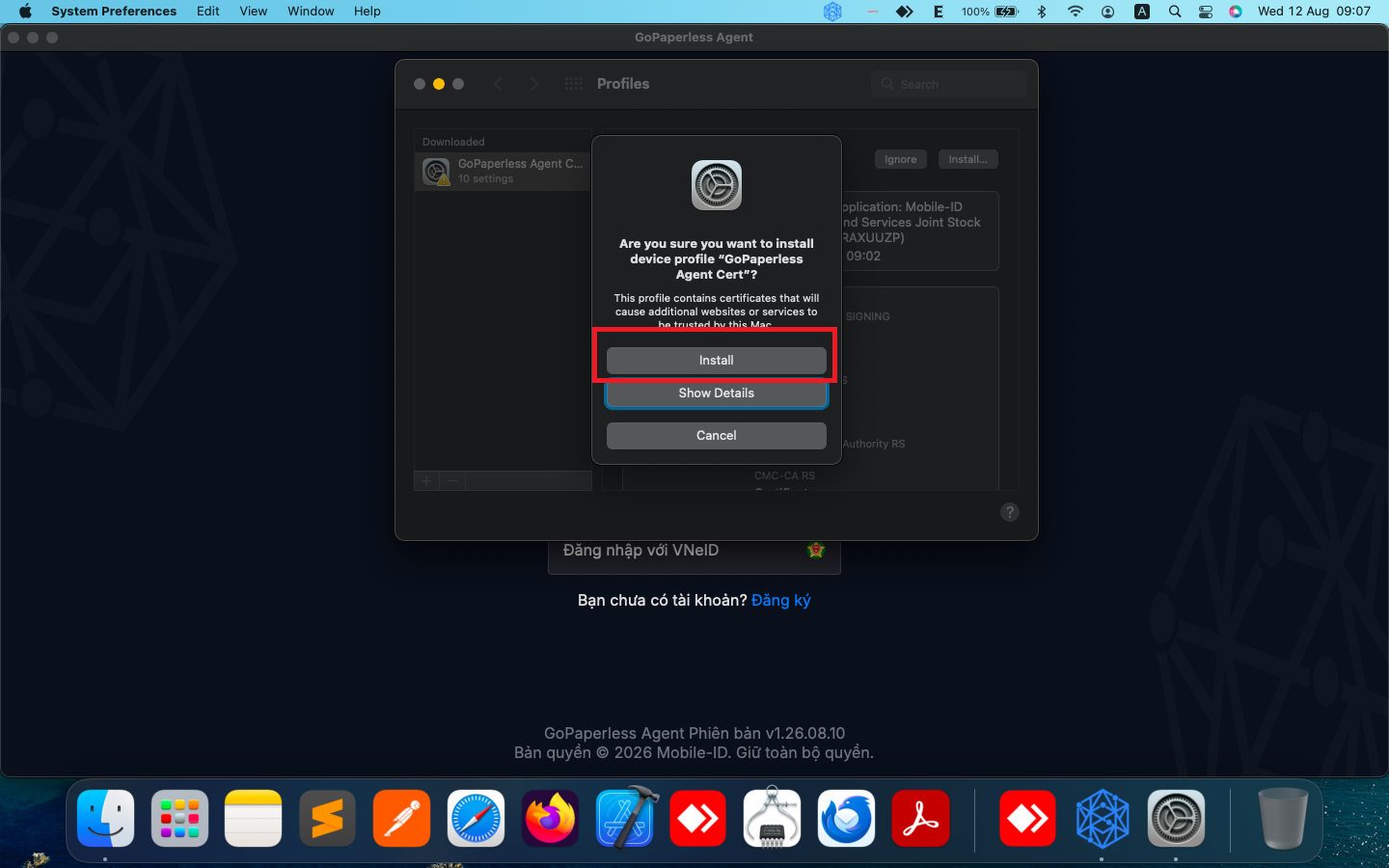
Step 3: Click the Install button once more time to confirm the installation.
Step 4: Enter computer’s password.
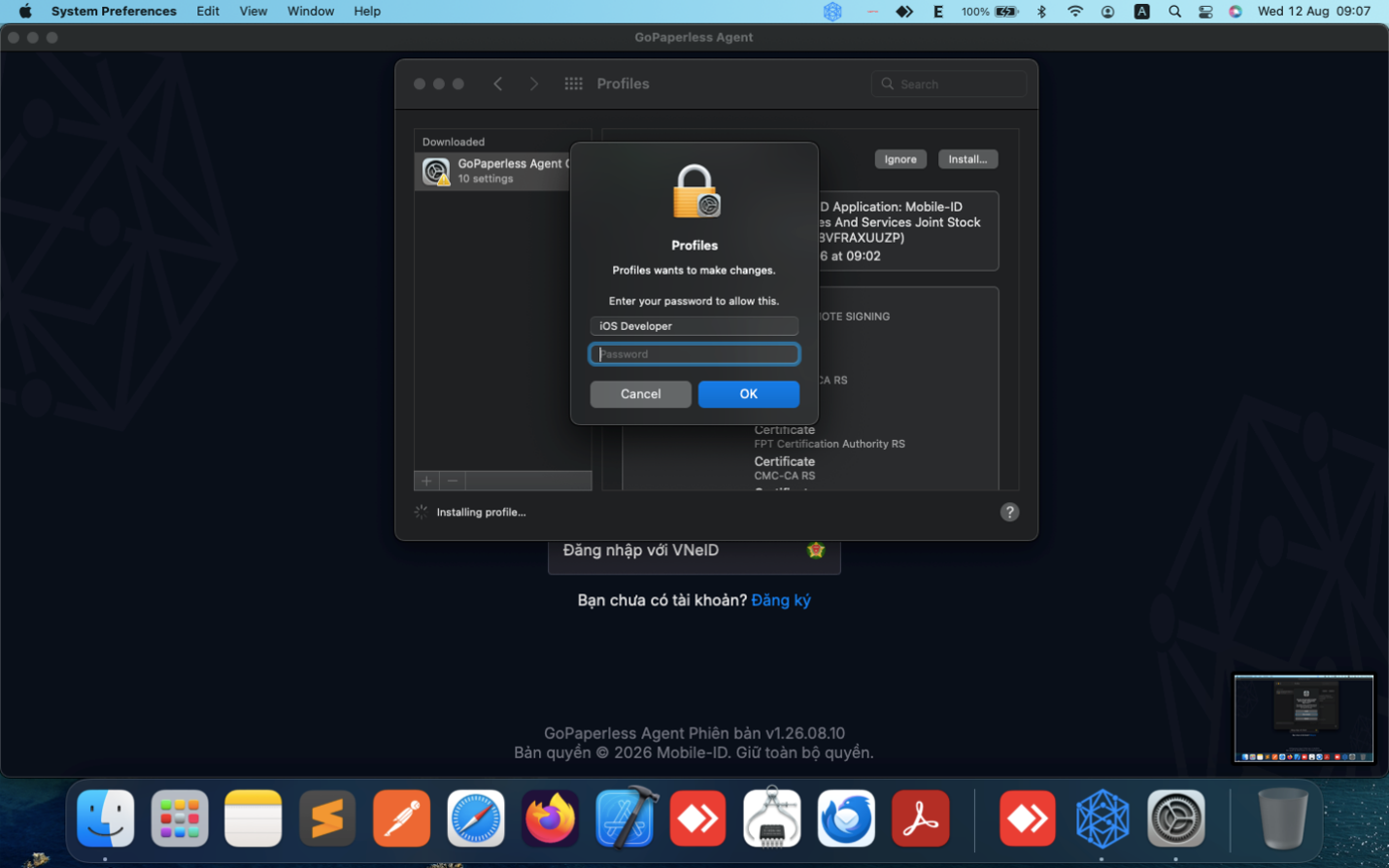
After entering the password, the operating system will automatically add and trust the Certificate Authorities (CAs) in the Keychain.
PreviousUninstall GoPaperless Agent
NextUser Guide